
FREE CV TEMPLATES FOR MICROSOFT WORD
Browse free CV templates created as editable Microsoft Word documents. Choose a layout by style, CV length or career stage, preview the finished design and download the DOCX file without creating an account.
Editable DOCX • Microsoft Word • Free download • No account required
Find the Right Word CV Template
There is no single CV design that suits every applicant. A student with limited experience needs a different balance of space from an experienced manager, while someone applying through an online recruitment system may prefer a simpler one-column structure.
Start with the reason you need a new CV rather than choosing only by appearance. You can browse by style, length or career stage below.
CV Templates by Style
Choose a visual style that fits the type of application and the amount of information you need to present.
Professional CV Template
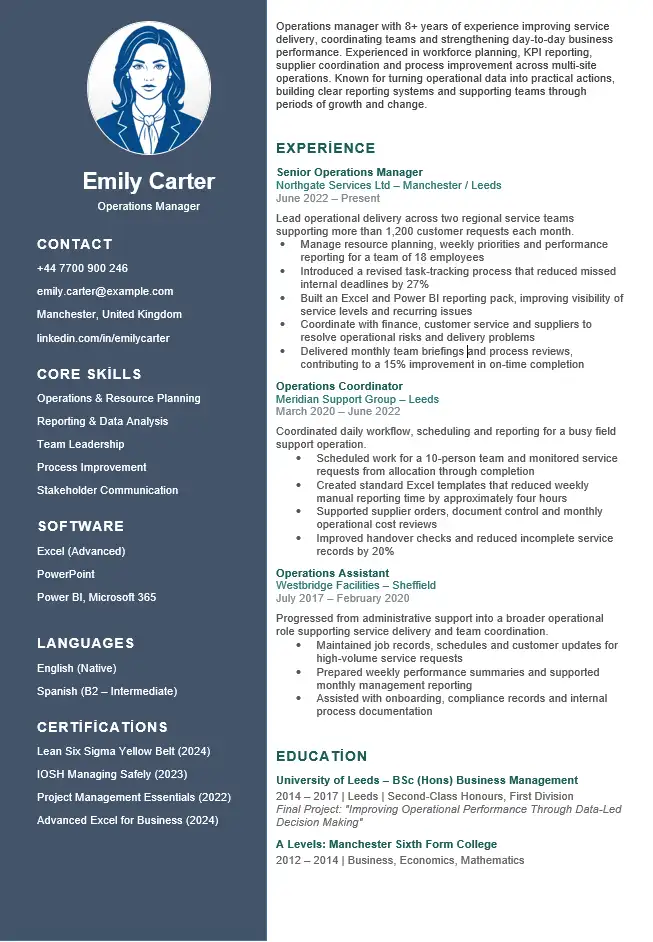
A polished two-column Word CV for candidates who need clear sections for professional experience, education, skills and additional qualifications.
Good for: experienced professionals, office roles, management and business applications.
Modern CV Template
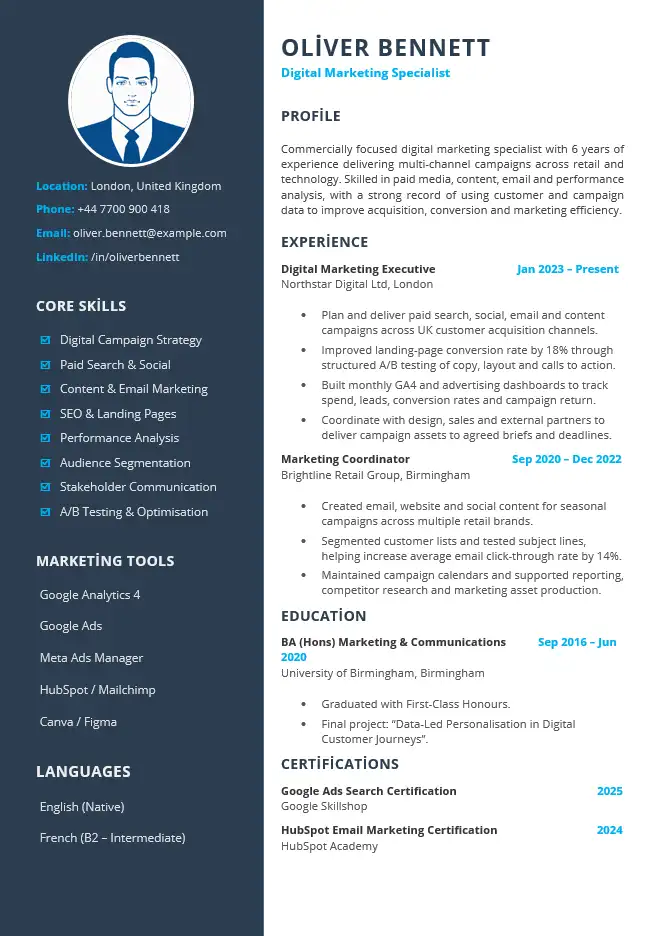
A more contemporary Word layout with stronger visual hierarchy while keeping career information organised and editable.
Good for: marketing, digital, technology, media and candidates who prefer a contemporary presentation.
Simple CV Template
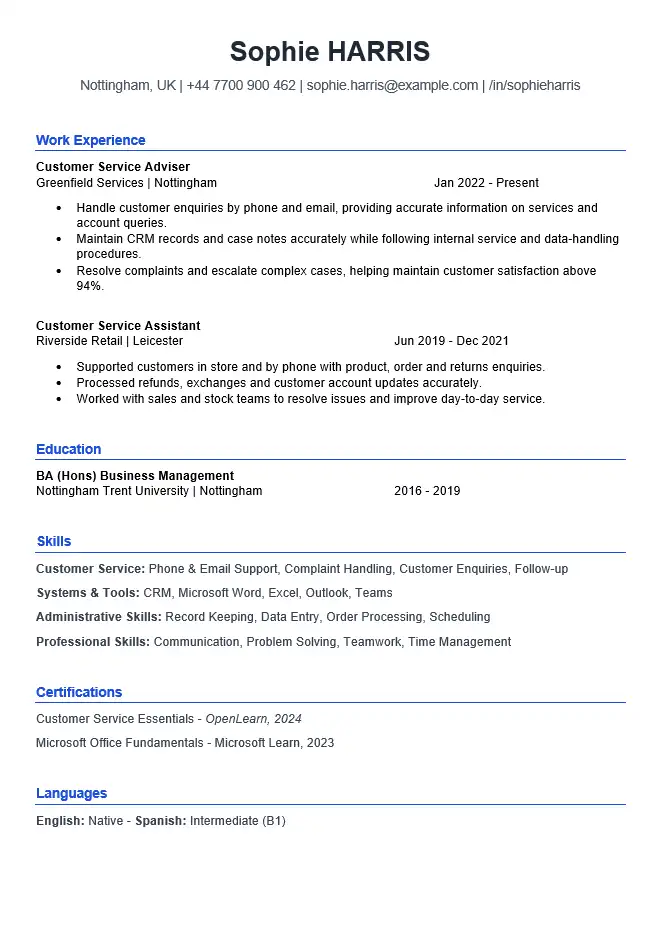
A clean one-column CV that keeps the focus on your profile, experience, education and skills without unnecessary visual elements.
Good for: general applications and candidates who want a straightforward document that is easy to update.
ATS-Friendly CV Template
A one-column Word CV using conventional headings and text-based content with minimal layout complexity.
Good for: candidates submitting applications through online recruitment systems.
Blank CV Template
A ready-made Word CV containing headings and prompts rather than somebody else’s completed career history.
Good for: people who already know what they want to write and mainly need a prepared Word structure.
Not Sure Which Style to Choose?
Choose based on what your CV needs to communicate. A stronger visual design is not automatically better, and a simple design is not automatically safer for every application.
CV Templates by Length
Choose the amount of space your relevant information actually needs rather than trying to force every CV into the same length.
One-Page CV Template
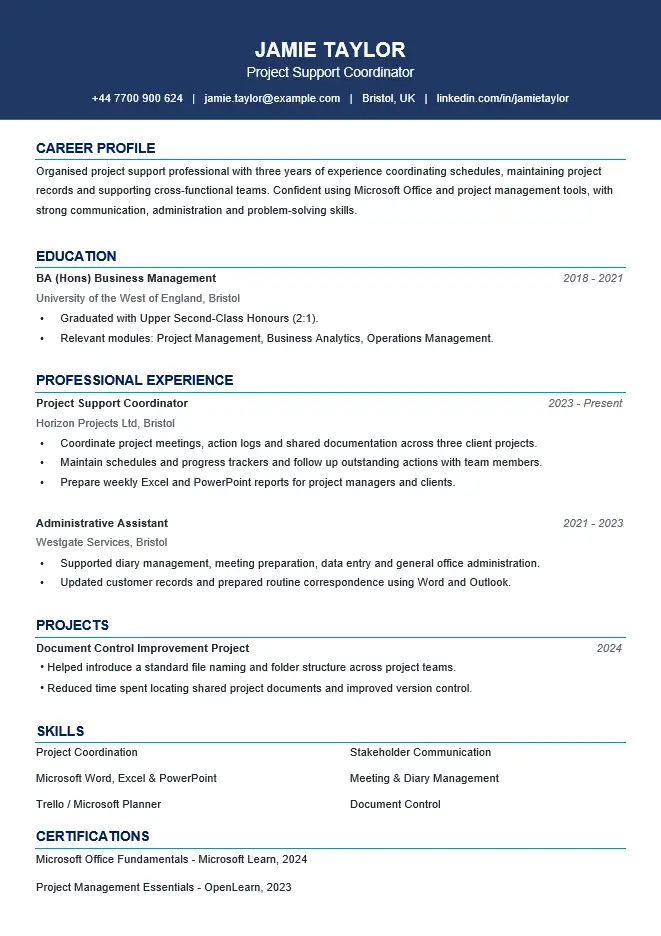
A compact Word layout for candidates whose strongest information can be presented clearly on one A4 page.
Useful when: you have a focused employment history, are early in your career or simply do not need a second page.
Two-Page CV Template
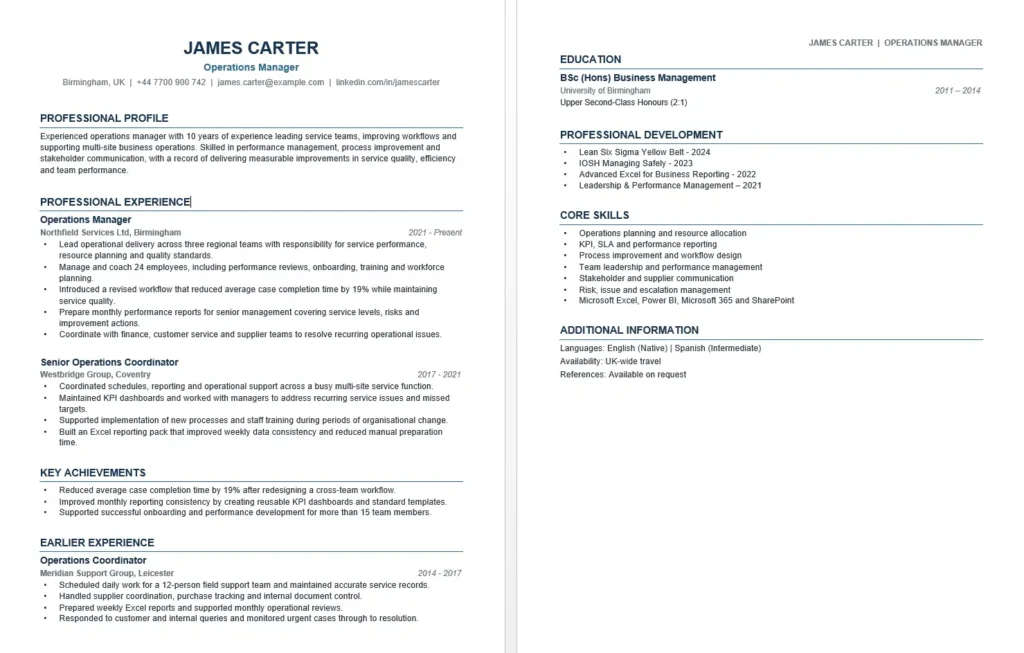
A more spacious Word format for candidates who need room for relevant career history, achievements, education and professional development.
Useful when: cutting the CV to one page would remove information that genuinely helps the application.
CV Templates by Career Stage
Where you are in your career changes what deserves space on the page. These templates use different content priorities rather than simply changing the design. For completed, job-specific examples, see our CV examples by profession.
Student CV Template
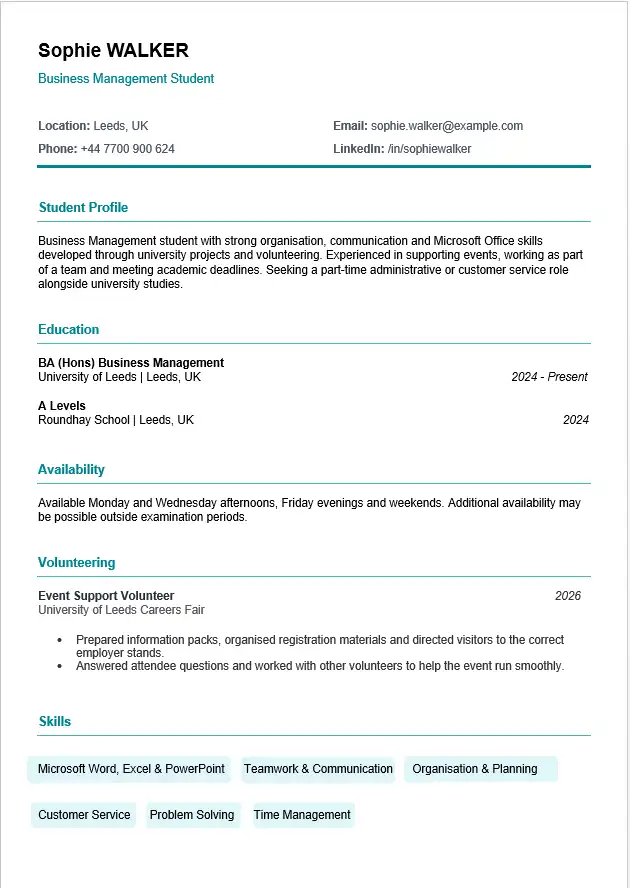
For people who are currently studying and applying for part-time work, internships, placements or other early opportunities.
The example gives greater importance to current education, availability, volunteering and skills.
Graduate CV Template
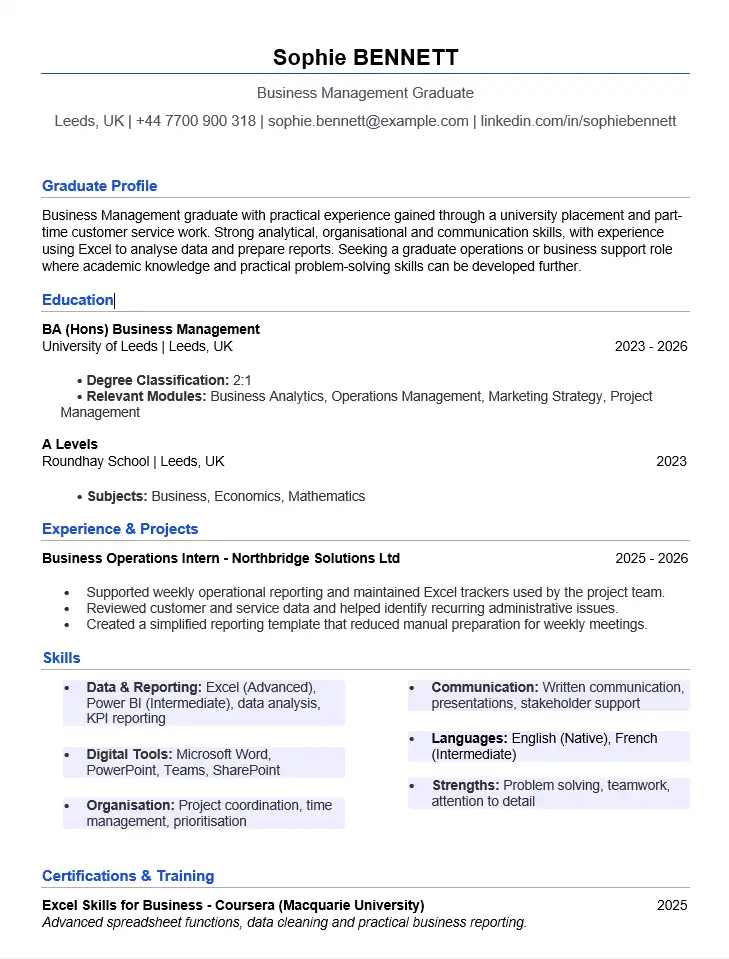
For recent university graduates moving from education into graduate or entry-level professional employment.
The structure can accommodate a degree, placements, projects, early experience and relevant skills.
No Experience CV Template
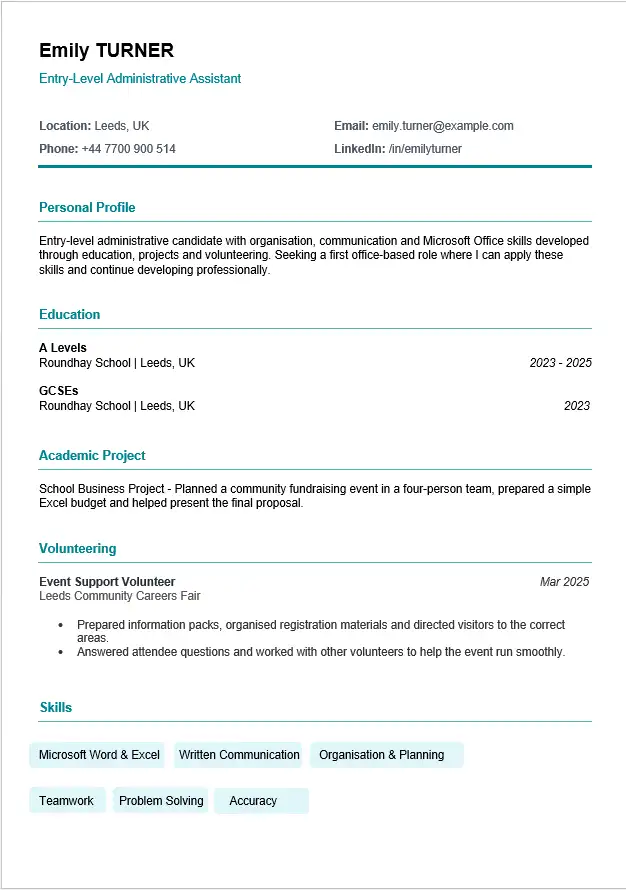
For anyone whose main challenge is having little or no formal employment history, regardless of age or education stage.
The example uses education, an academic project, volunteering and genuine skills instead of an invented work history.
Which CV Template Should You Choose?
Use the problem you are trying to solve as the starting point:
“I want something polished.”
Start with the Professional CV Template.
“I want a more contemporary design.”
Try the Modern CV Template.
“I just want a straightforward CV.”
Use the Simple CV Template.
“I am worried about ATS formatting.”
See the ATS-Friendly CV Template.
“I want to write everything myself.”
Start with the Blank CV Template.
“I do not have work experience.”
Use the No Experience CV Template.
What You Download From WordCV
The templates on this page are downloadable Microsoft Word documents rather than screenshots of designs that require you to recreate the layout yourself.
Editable Word File
Open the DOCX in Microsoft Word and replace the example or placeholder content with your own information.
Real Template Preview
Each individual template page shows a preview of the CV layout included in the downloadable document.
No Account Required
The current free template downloads do not require you to create an account before downloading the DOCX file.
Before You Choose a Template
Do not choose only from the unedited preview. Think about what will happen when your own information replaces the example content.
- Does the template have enough space for your most relevant experience?
- Will your job titles and employer names fit comfortably?
- Can you remove sections you do not need?
- Does the layout still make sense for your career stage?
- Will you need one page or two?
- Are you applying through a recruitment system where you would prefer a simpler structure?
- Can you edit the document comfortably in Microsoft Word?
A good CV template should still work after you add your own information. If you find yourself shrinking the font, squeezing paragraphs into small spaces or keeping irrelevant sections simply because the design contains them, choose a different format. If text keeps jumping to a new page, see why a CV moves to a second page in Word.
Free Word CV Template FAQs
Are the CV templates really free to download?
Yes. The templates currently listed on WordCV can be downloaded as Microsoft Word DOCX files without creating an account.
Can I edit the templates in Microsoft Word?
Yes. The templates are intended to be opened and customised in Microsoft Word. Replace the example content with your own details and remove sections that do not apply to you. Our guide to editing a CV in Word without breaking the layout covers text, sections, fonts and spacing.
Which CV template is best?
There is no single best template for every applicant. Choose according to your experience, career stage, target role, amount of information and preferred level of visual styling.
Should I choose a one-page or two-page CV?
Use the space your relevant information genuinely needs. One page may be enough for a focused or shorter career history, while two pages can be useful when removing a second page would mean cutting relevant experience or qualifications. Compare the one-page and two-page templates.
Which template is best for online application systems?
Choose a one-column layout with standard headings and real text rather than text boxes, tables or graphics. The ATS-friendly CV template is built for this, and the Simple CV template is also a safe choice.
Can I save a Word CV as PDF?
Yes. Keep the editable DOCX as your master copy and save or export a PDF when an employer requests that format. See how to save a Word CV as PDF.
Start With the CV That Fits Your Situation
Compare the available Word CV formats above, then open the individual template page to see the completed preview and download the editable DOCX.